

Which Chevrolet Models Have Apple CarPlay?
Shop for a New Chevy With Apple CarPlay
Acting as an extension of your iPhone, Apple CarPlay has been an incredibly popular software that allows you to stay connected. From navigation to audio support for your favorite listening apps, hands-free texting and calling, it’s the perfect companion for driving through Minot and far beyond.
New Chevys With Apple CarPlay
- 2016 – 2017 Cavalier
- 2016 – 2019 Volt
- 2016 – 2024 Camaro
- 2016 – 2024 Camaro Convertible
- 2016 – 2024 Colorado
- 2016 – 2024 Corvette
- 2016 – 2024 Corvette Convertible
- 2016 – 2022 Cruze
- 2016 – 2020 Impala
- 2016 – 2024 Malibu
- 2016 – 2024 Sail LOVA
- 2016 – 2024 Silverado
- 2016 – 2024 Silverado HD
- 2016 – 2022 Spark
- 2016 – 2024 Suburban
- 2016 – 2024 Tahoe
- 2017 – 2020 Aveo
- 2017 – 2024 Bolt EV
- 2017 – 2024 Prisma
- 2017 – 2024 S10
- 2017 – 2024 Sonic
- 2017 – 2024 Tracker
- 2017 – 2024 Trax
- 2018 – 2024 Equinox
- 2018 – 2024 Traverse
- 2019 – 2024 Blazer
- 2019 – 2024 Monza
- 2020 – 2024 Captiva
- 2020 – 2024 Trailblazer
- 2022 – 2024 Bolt EUV
How To Set Up Apple CarPlay in My Chevy
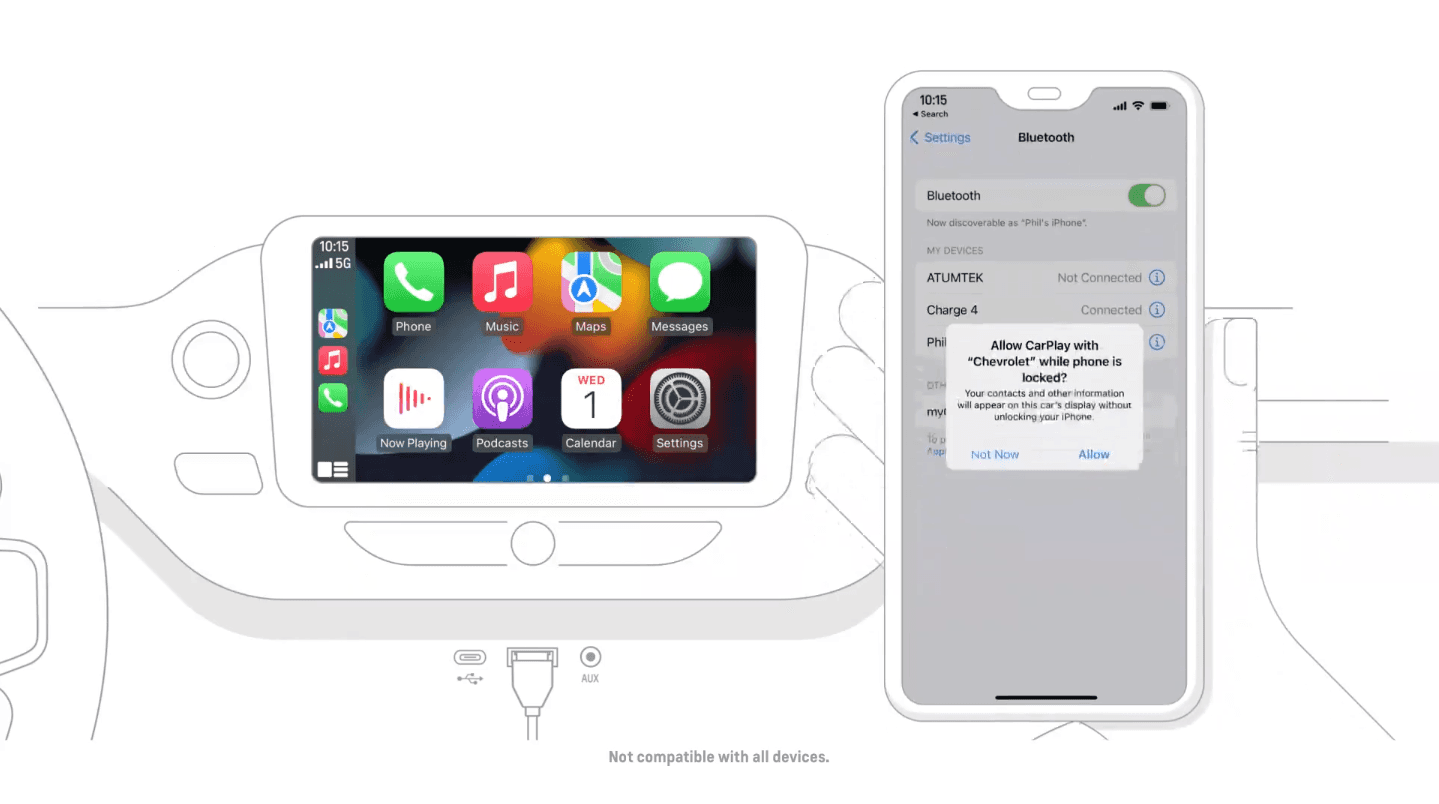
Connect Through Cable
- Using your iPhone’s cable (USB-A or USB-C, depending on your model), connect your phone to the vehicle’s USB data port.
- Unlock your phone.
- Consent pop-up will be shown to enable or disable Apple CarPlay.
- Follow the prompts on the screen and on your phone to start using CarPlay.
- If Apple CarPlay does not automatically launch, touch the Apple CarPlay icon on your infotainment screen.
- When Apple CarPlay is active, the screen will show the iPhone apps that are accessible.
Connect Wirelessly
Only select vehicles and select iPhones offer this option – if your vehicle does offer it, complete these steps to enable a wireless connection with Apple CarPlay:
- Pair/connect your phone to the infotainment system using Bluetooth®.
- Follow the prompts on the screen and on iPhone to start a wireless Apple CarPlay session. You will be asked to accept Terms of Use before using the feature.
*Note: Your vehicle must be in PARK the first time you connect to CarPlay.
On some vehicles, after you start Apple CarPlay using a Lightning connection, you’ll be asked if you want to enable wireless Apple CarPlay for future use. If you agree, the next time you go for a drive, your phone will automatically connect wirelessly with Apple CarPlay.
If your phone is already paired to the system via Bluetooth, tap the Apple CarPlay icon and follow the prompts on the screen to launch.
Starting in 24MY vehicles, Apple CarPlay will only work for devices with iOS 14 or later through both wired and wireless connections.
0 comment(s) so far on Which Chevrolet Models Have Apple CarPlay?